Anatomy of a Playtest Game
If you're familiar with Playtest modes on popular deckbuilding sites, then EDHLAB's Play feature will be a breeze to learn.

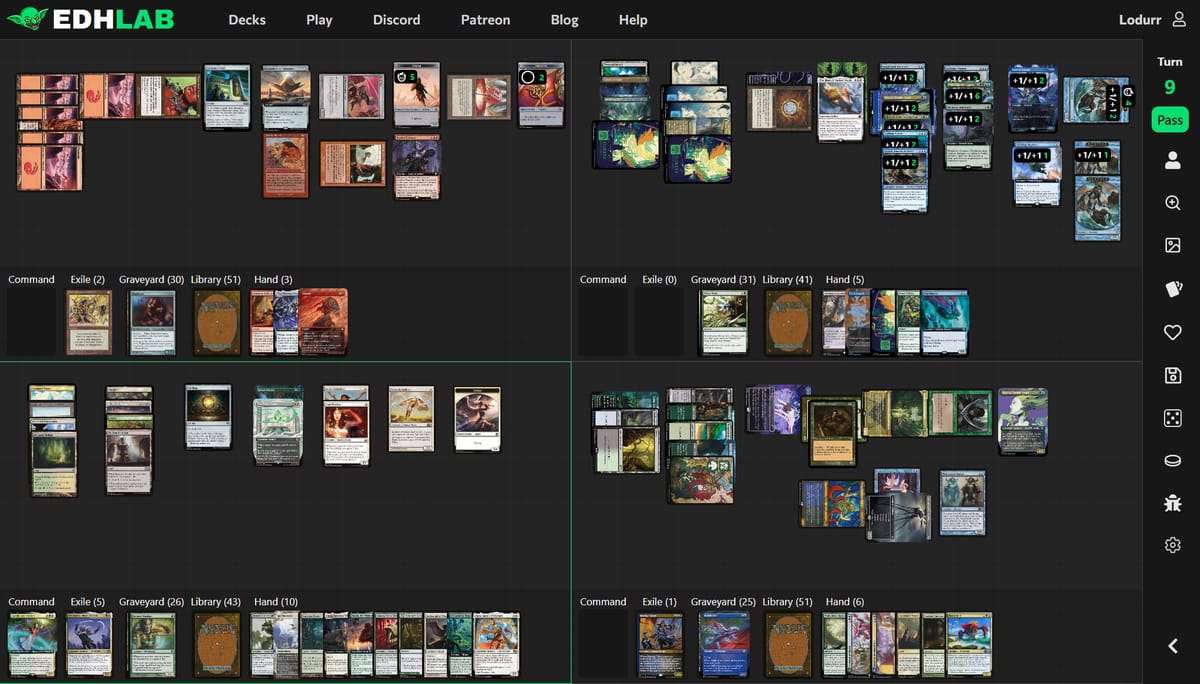
Many players are familiar with "goldfishing" or playtesting a deck by yourself. Now there's a way to playtest your latest brew against real decks! No more imagining whether your combo might get countered, if your commander might get destroyed, or if there are open attackers for your Ragavan on turn 2. Whether you want to see how the first few rounds of a game would play out, or play a match-up through to the end, EDHLAB can be an incredible tool, or a fun version of Commander solitaire that you can play at your pace.
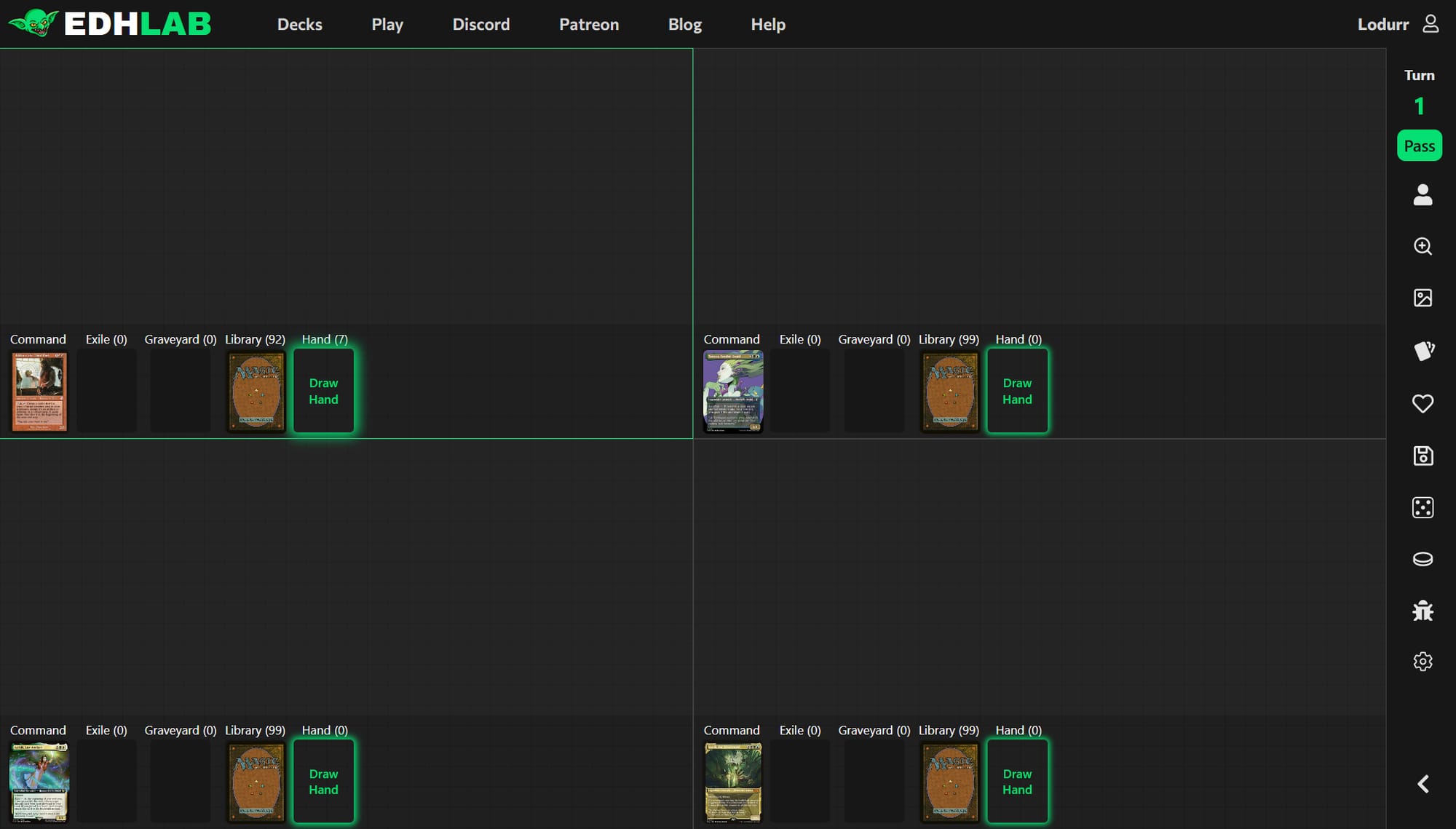
If you have some familiarity with playtesting on other sites, here are some key differences when playing on EDHLAB:
Managing Four Players
When you advance to the next turn by pressing Spacebar or by clicking Pass on the sidebar, the next player in turn order will be highlighted and their permanents will untap. They will not automatically draw so you need to either click on their library to draw one card, or just press D.
Life Totals
Everything that tracks the progression of the game, from life totals to commander tax to poison counters, is managed individually for each player from the Life Total pull-down menu.
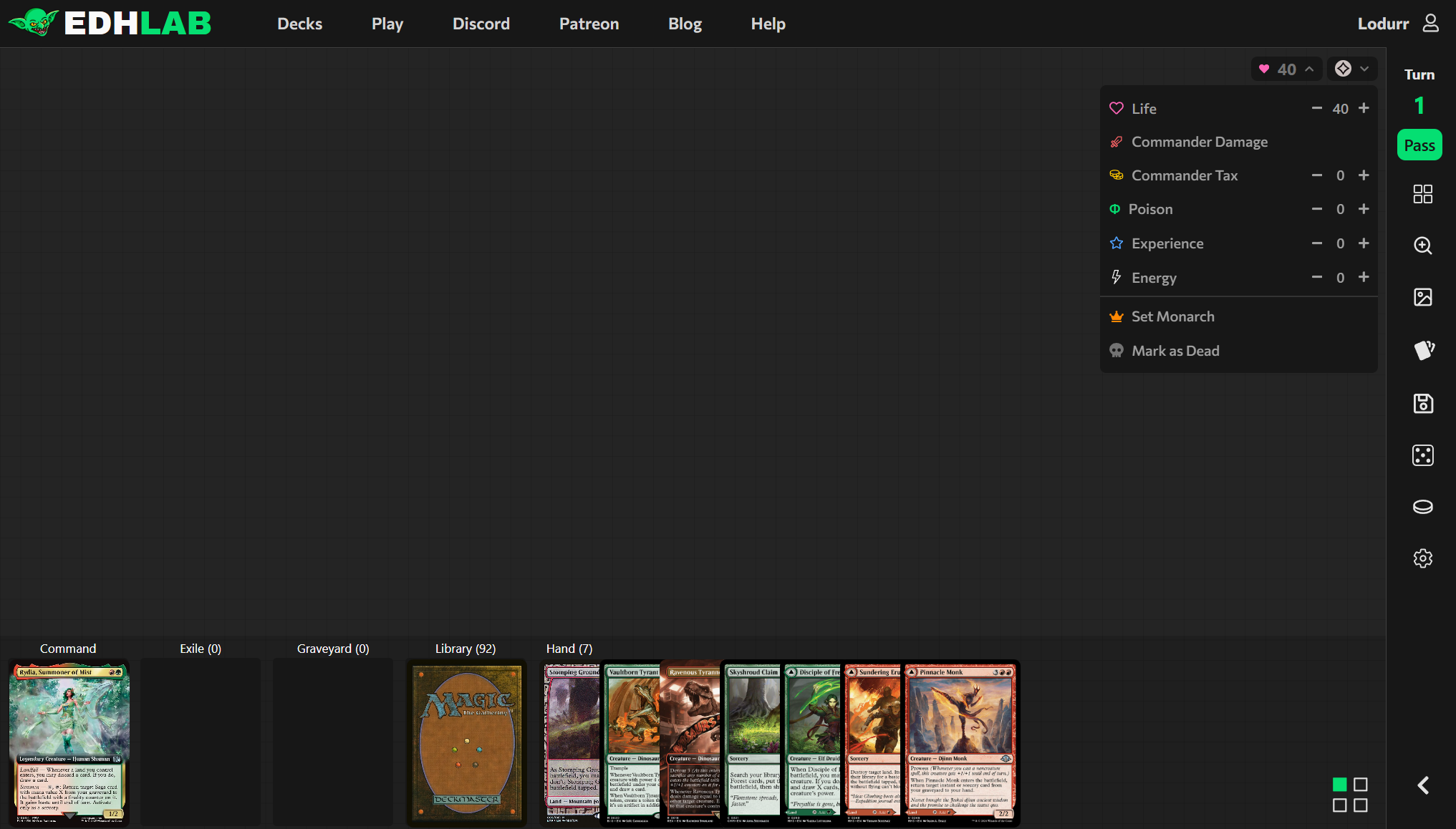
Once you click on the Life Total pull-down menu, you can increment your current life, commander damage, poison counters, experience counters, energy counters, monarch status, and whether you have been eliminated from the game or not ("Mark as Dead"). This pull-down is automatically closed when you click anywhere else in the UI.
Tracking commander damage requires one extra step; open the Life Total pull-down menu, then click Commander Damage, then increment the damage dealt by the commander who dealt combat damage to the player. This will also apply that damage to your life total.
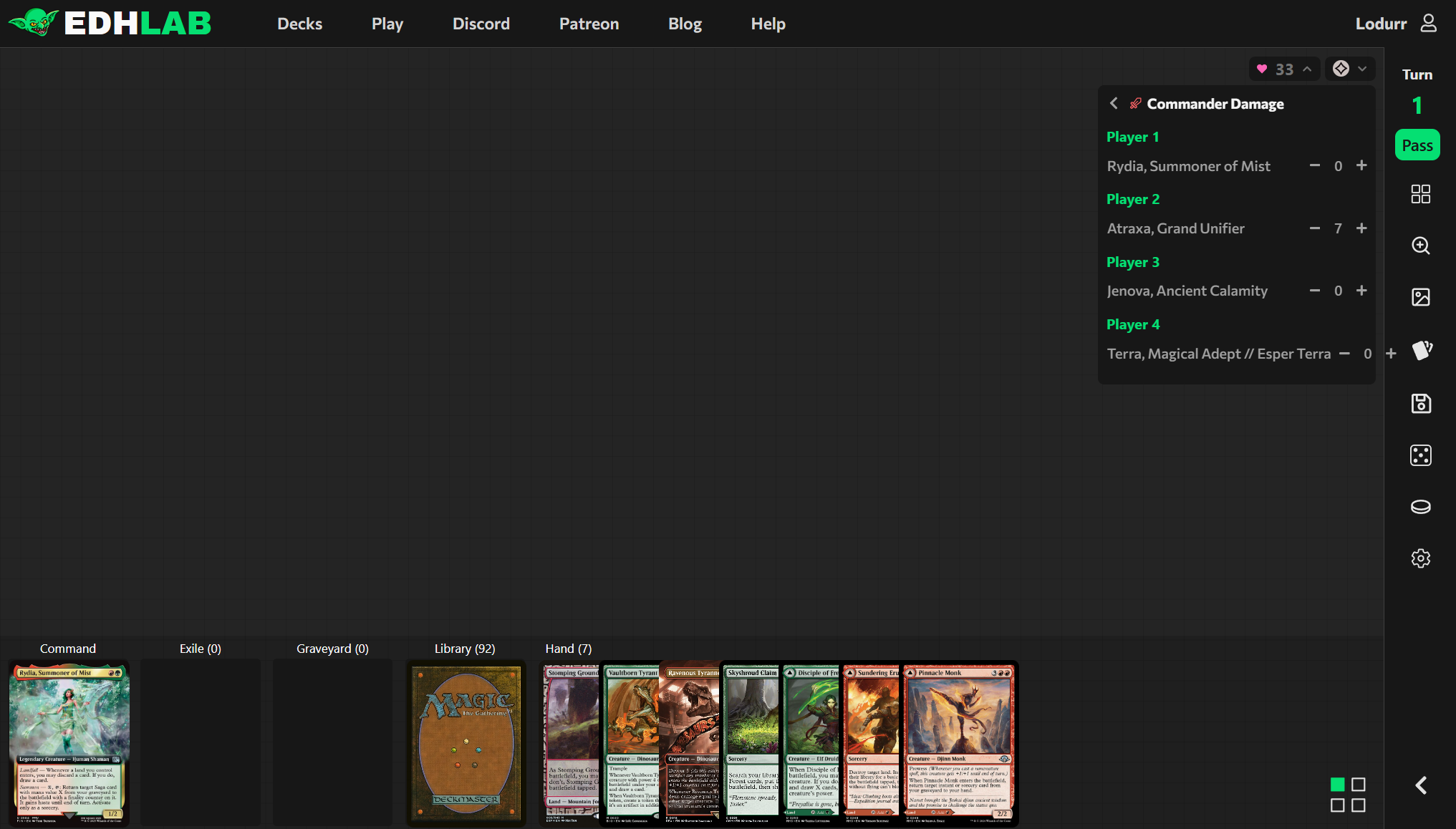
Fun fact: if someone takes control of your commander and attacks you with it, you can receive commander damage from your own commander!
The Board State
Ever since Magic was played on the back of textbooks in high school hallways, managing limited space to represent your board has been both an art and a science.
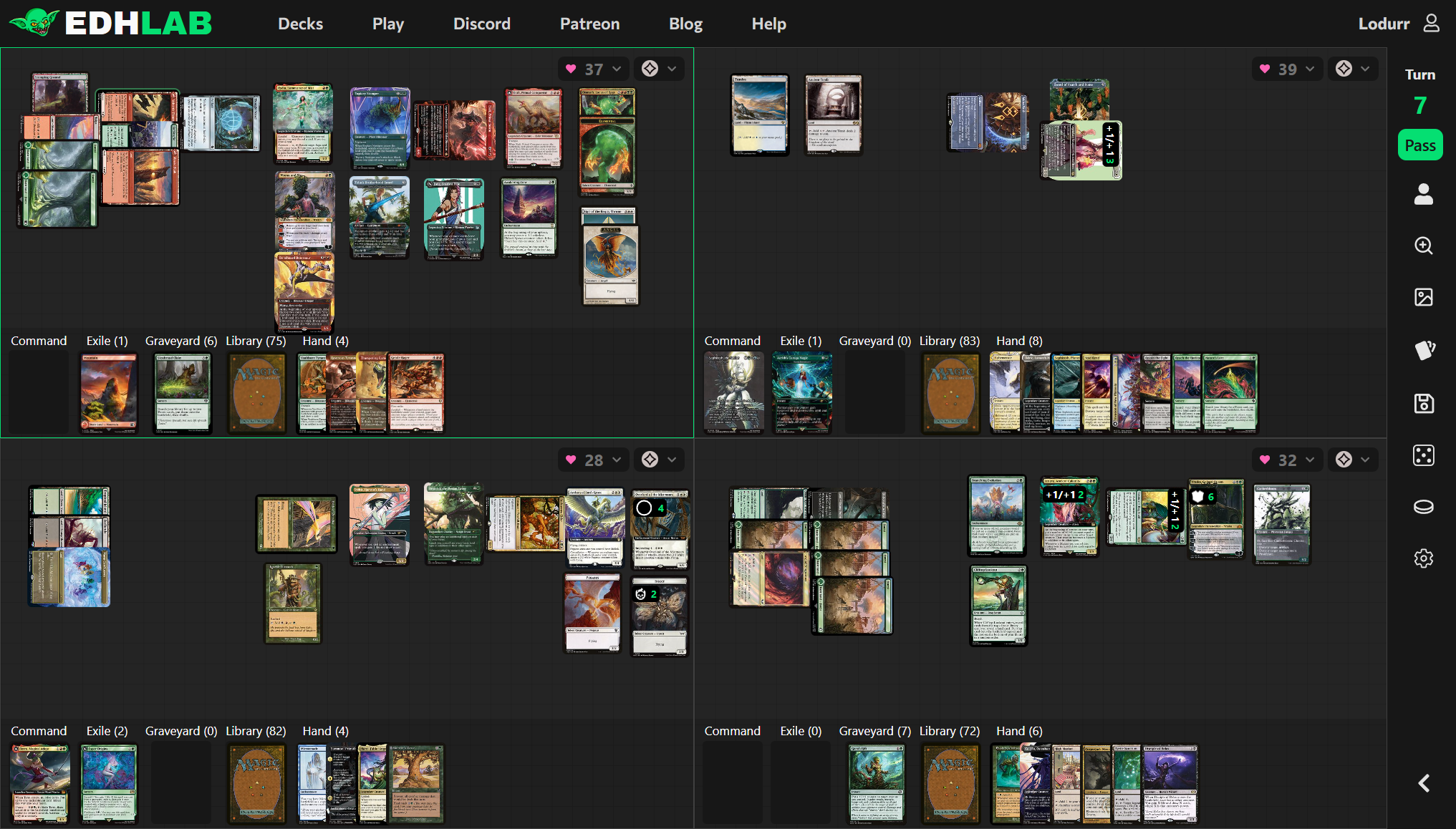
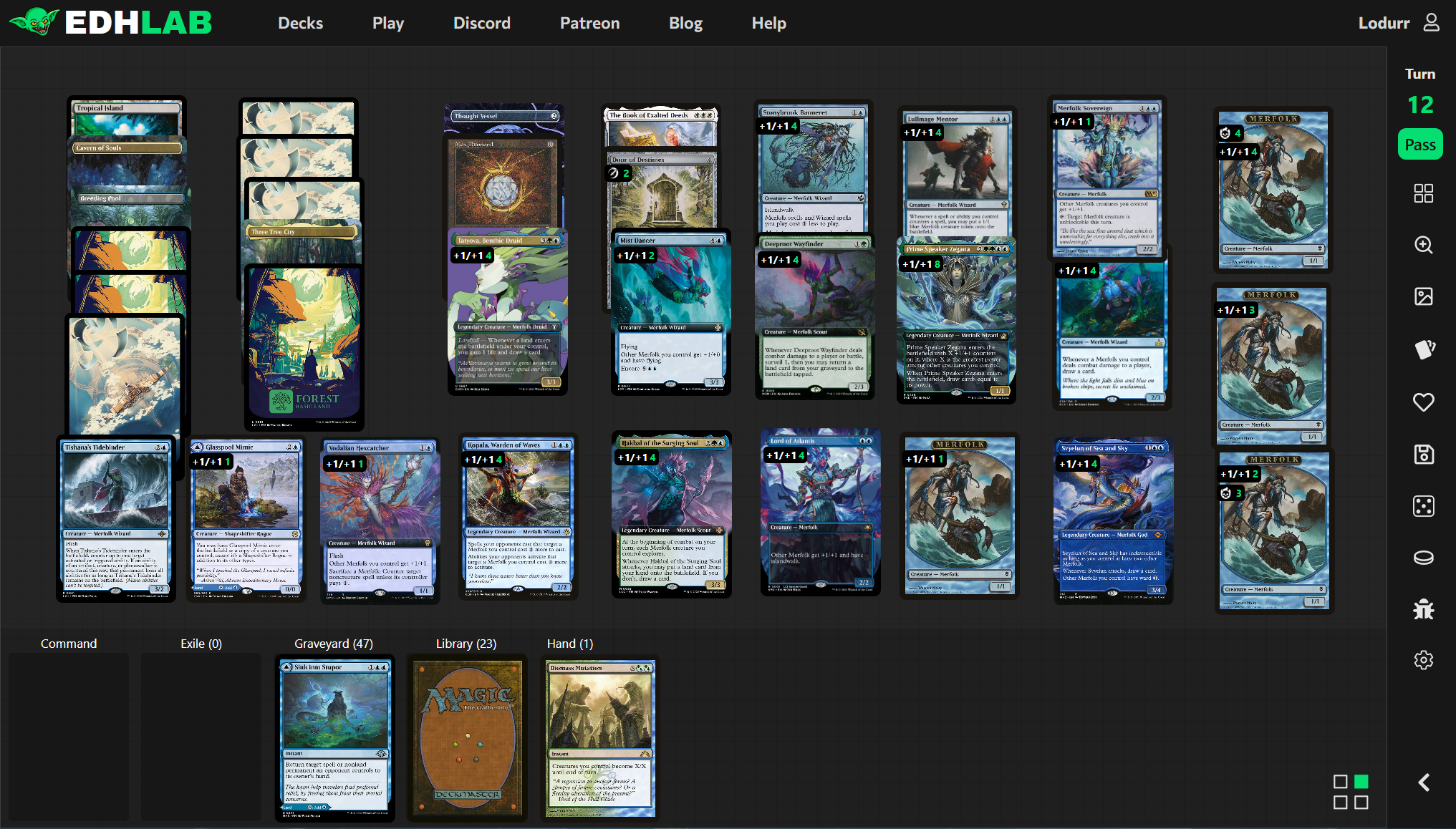
What's most important is what makes the most sense to you. I've personally played around 50 full playtest games (so far!) and here are some tips to managing out-of-control boardstates that are likely to happen in Commander games:
- Token management
This may be a familiar trick, but instead of representing all of your tokens one-by-one--be they treasures, soldiers, goblins, or angels--use one token and put a die on it to represent how many are there. On EDHLAB, instead of a die, use any type of counter to indicate the number of tokens that one token represents. When some tokens are tapped and others aren't, create a second copy of that token. Now one token represents all of your untapped soldiers and another represents your tapped soldiers. - Lands and tapping for mana
To save the most screen real estate, I suggest stacking lands on top of each other leaving only the top 1/5th of the card showing. When it comes time to tap them down, either double-click lands as you tap them or press T while hovering your mouse over them. If you prefer single-clicking cards to tap them, you can change this in the Settings menu accessible via the cog wheel on the sidebar. - Artifacts and enchantments
When a boardstate gets big, I manage my artifacts and enchantments in the following way:
• One stack for mana rocks like Talismans and Signets
• One stack for artifacts that can tap for utility, such as Strionic Resonator or Idol of Oblivion
• One stack for enchantments AND artifacts that don't tap and aren't creatures, such as Kindred Discovery or Panharmonicon
This leaves as much room as possible for creatures. You can get organized with your creatures on your board as well: for example, you can use one stack for your mana dorks, one stack for utility creatures who will likely never attack (such as a Crypt Ghast), and one or several stacks for your likely attackers and blockers. - Exchanging control of creatures and representing the stack
EDHLAB allows you to drag cards from one player's battlefield to another's. This makes Control Magic-style effects easy to implement. It also allows for complex stacks to be easily represented.
In case a card gets lost and you don't remember which player it belongs to, simply right-click on the card and select Move to... and then Graveyard and it will go to the originating player's graveyard.
That covers the most common experiences in playing a game of Commander on EDHLAB. If you have any suggestions for new features or other general improvements, please join the EDHLAB discord and make a post in our Suggestions forum. You'll be surprised how quickly we implement new changes!
The best advice is to play and manage your game in a way that works for you. No one is making you tap lands correctly, or at all; as long as the boardstate makes sense to you and you can progress your game and have fun, you're doing it right.
Happy goldfishing!
EDHLAB does not support the use of generative AI as a means to produce content. Any articles you read on our website will never incorporate generative AI for written or visual materials.